

Compliance That Fits Sage Users
How a DJP-Ready Invoice Moves Through Sage
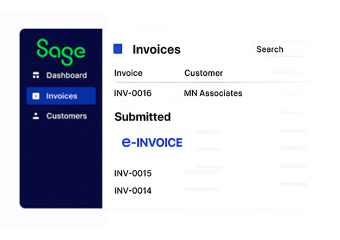
- Capturing the Transaction: The moment an invoice posts inside Sage’s financial module, Advintek retrieves it immediately for Indonesian tax processing, with nothing manually exported.
- Checking e-Faktur Requirements: The captured transaction is reviewed against DJP’s current numbering, formatting, and mandatory field requirements before anything is submitted.
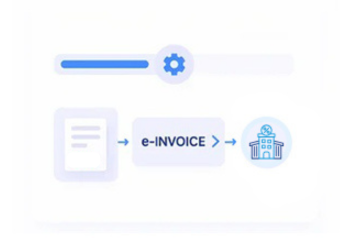
- Structuring the XML: Sage’s transaction output is restructured into the exact XML schema DJP requires, so formatting is never the reason for a rejection.
- Assigning the Invoice Number: A valid Nomor Seri Faktur Pajak is generated and applied automatically, keeping the sequence continuous and accurate.
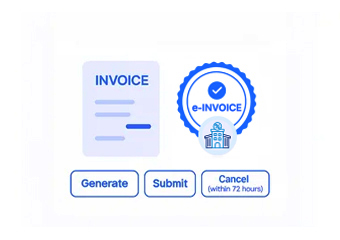
- Filing Through Coretax: The completed invoice is submitted through DJP’s approved Coretax channel, with its status tracked from submission through to confirmation.
- Archiving for Compliance: Cleared invoices are stored for the retention period Indonesian regulations require, ready to be retrieved instantly if an audit begins.
What Is Advintek's Indonesia e-Invoice Connector for Sage?
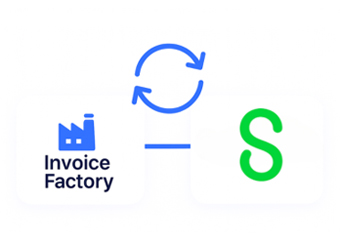
Sage users often handle invoicing well internally, but DJP’s e-Faktur and Coretax requirements sit outside what standard Sage configurations are built to manage on their own. Advintek’s connector bridges that specific gap, applying consistent formatting, numbering, and submission logic to every transaction Sage generates, without requiring any change to how finance teams already work day to day.
- Connects directly to Sage's transaction data without manual exports or intermediate spreadsheets involved
- Applies one consistent DJP-compliant formatting standard across every invoice Sage produces company-wide
- Confirms correct invoice numbering automatically, removing a common source of manual filing errors
- Consolidates every filed invoice's status into a single view finance can check anytime
Why Sage Customers Rely on Advintek
- Automatic Compliance Handling Every eligible Sage transaction is processed for DJP without anyone reviewing it invoice by invoice.
- Fewer Rejected Filings Getting the XML structure correct the first time cuts down sharply on DJP bounce-backs.
- Real-Time Status Visibility Live filing status makes catching a problem early far simpler than discovering it later.
- Lower Manual Workload Finance staff stop spending hours preparing and correcting e-Faktur submissions by hand.
- Consistent Across Modules Sales, service, and project invoices from Sage all follow the identical filing standard.
- Dependable Regulatory Coverage Advintek tracks DJP’s changing requirements, so Sage users don’t have to monitor them independently.
Everything You Need for Indonesia E-Invoicing in One Place
Live Validation Insights
Problems are flagged well before a filing fails outright, with guided fixes finance teams can act on immediately, and whole batches can be resubmitted together instead of handling each record individually one by one.
Centralized Reporting View
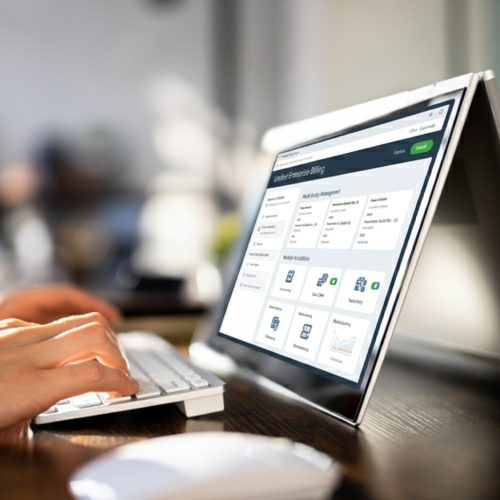
Monitor DJP filing status across every entity connected to Sage from a single dashboard, with live updates that reflect exactly how your Sage environment is structured and organized.
Ongoing Compliance Support
Stay covered as DJP's e-Faktur and Coretax requirements continue to shift over time, backed by a responsive support team ready whenever an unusual filing exception comes up.
Indonesia e-Invoicing Compliance for Sage Operations
Businesses running Sage across multiple entities or departments in Indonesia need consistent DJP compliance everywhere it’s needed, not just wherever finance has time to check manually. Advintek’s connector applies identical formatting, numbering, and filing rules across the entire Sage environment, giving finance leaders one dependable, consolidated view of filing status at all times.
- Applies Sage-derived formatting rules identically across every connected entity or department involved
- Removes inconsistent local configuration habits that tend to develop between different teams over time
- Gives finance leadership one consolidated, always-current view of compliance across the whole organization
- Keeps invoice numbering and digital signing aligned correctly no matter which team originated it
Connect Your Sage
Keep every part of your Sage environment aligned with DJP's e-Faktur and Coretax rules from one consolidated view.
Running a different accounting or ERP system alongside Sage? Advintek supports flexible Indonesia e-invoicing integrations across a broad range of systems.
Ready e-Invoice System
Frequently Asked Questions Sage E-Invoicing Indonesia
Does Sage handle DJP's e-Faktur requirements on its own, without any extra tools?
No, Sage has no built-in connection to DJP’s Coretax system or the required invoice formatting, so a dedicated connector like Advintek remains necessary to file correctly.
What does the Sage e-invoicing integration actually involve on our end?
Advintek pulls transaction data directly from Sage and routes it through a formatting, validation, and Coretax submission process, without requiring your team to manage the technical steps.
Will our existing Sage workflows need to change once this is connected?
No, your day-to-day invoicing and financial workflows inside Sage continue exactly as before — Advintek manages formatting, numbering, and filing entirely behind the scenes without visible disruption.
We operate across several entities within one Sage environment — does filing stay accurate for each?
Yes, Advintek applies correct entity-specific numbering and formatting, so a multi-entity Sage setup files just as reliably and cleanly as a single standalone business would.
How quickly can Sage be connected and made DJP-compliant once we decide to proceed?
Most Sage environments can be connected and validated within a short setup window, without requiring downtime or disruption to ongoing invoicing and financial operations already in progress.